
Affiliate Disclaimer: This article contains affiliate links. As an Amazon Associate, Mobility With Ease may earn a small commission from qualifying purchases at no additional cost to you.
Introduction
Emergency alert devices for seniors are the only safety product that works after a fall has already happened. Every grab bar, motion light, and bed rail in a senior’s home is built to prevent a fall in the first place. The alert device is the layer underneath all of that — the one that gets help to the senior in the minutes that decide whether a fall ends with a bruise or a hip fracture. For a senior with mobility issues, those minutes matter more than for almost anyone else.
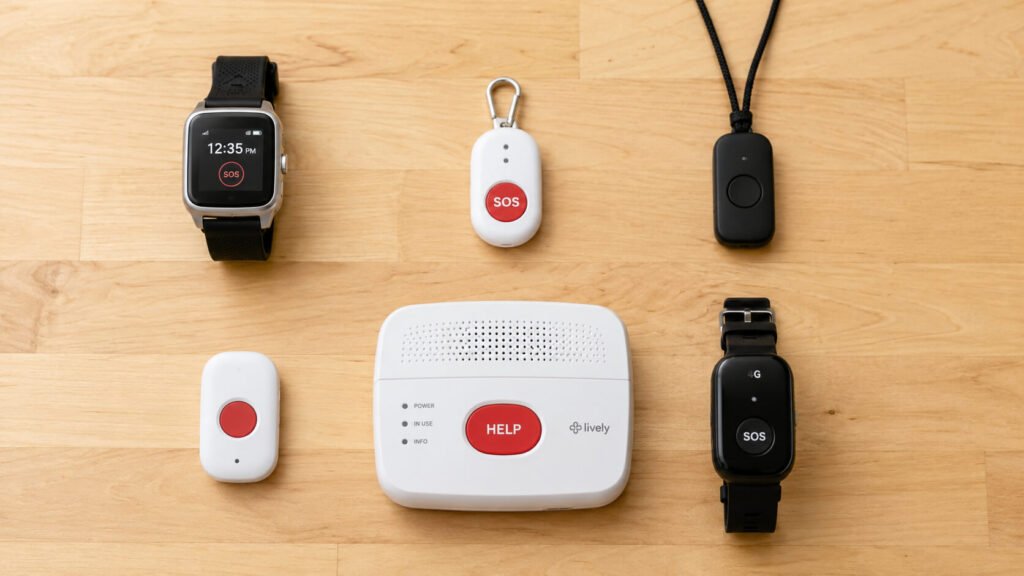
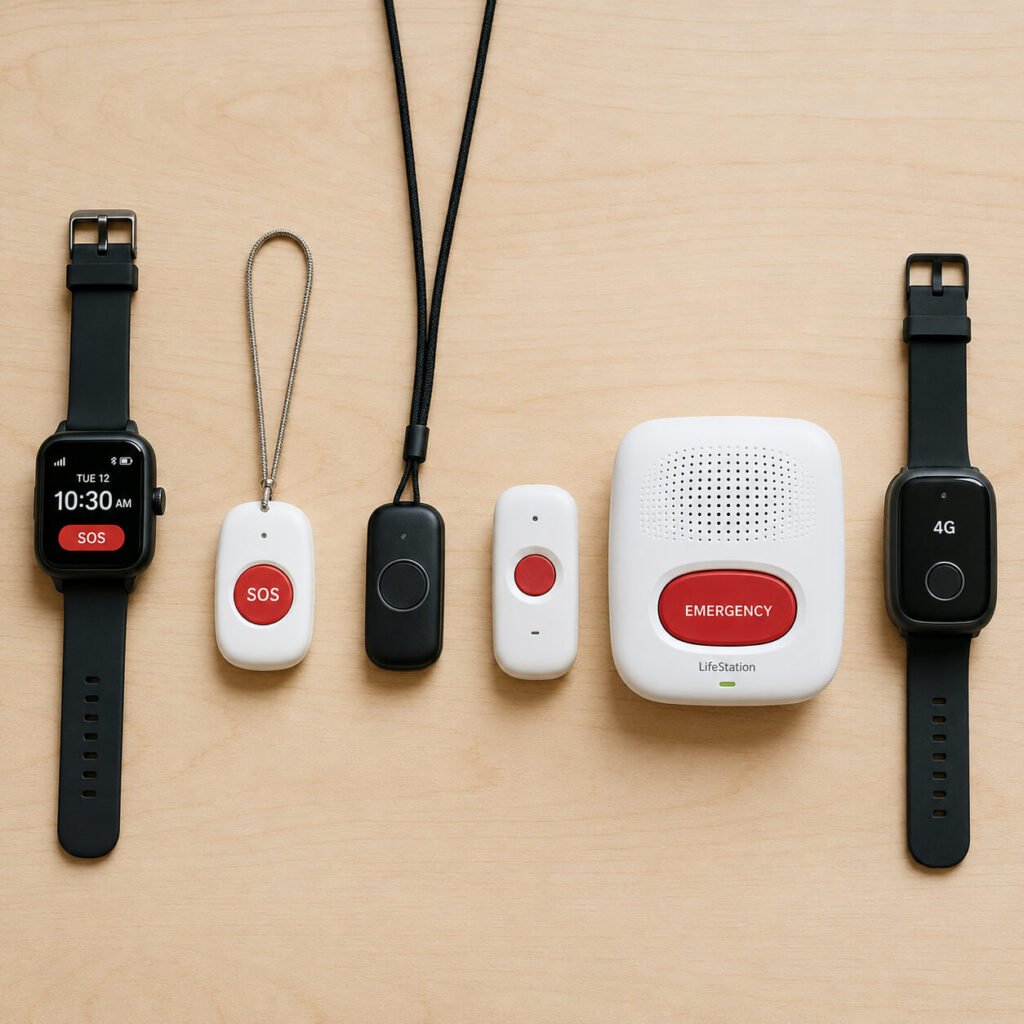
The picks in this guide are six of the best emergency alert devices for seniors with mobility issues sold on Amazon in 2026. Each fits a specific situation: the senior who is mostly home without a landline, the one who walks to the grocery store with a cane, the one whose caregiver needs remote fall monitoring, and the one on a fixed income who cannot carry a monthly subscription. The device matters less than whether it fits the user’s actual daily routine.
If you already know what you need, use the button below to jump straight to the comparison table.
Why Emergency Alert Devices for Seniors Matter
The clinical case is short. The CDC reports that more than one in four adults age sixty-five and older fall every year, and falls are the leading cause of injury and injury-related death in this age group. The age-adjusted fall death rate rose twenty-one percent between 2018 and 2024. Most of those deaths are not the result of the fall itself. They are the result of a senior who fell, could not get up, and waited too long before help arrived.
The window matters more than most families realize. A senior on the floor for one hour begins to develop pressure injuries at the contact points. By six hours rhabdomyolysis, hypothermia, dehydration, and pneumonia can set in. By twelve hours the prognosis worsens sharply even if the fall caused no fracture. Emergency alert devices for seniors compress that window from hours to minutes by removing the need to crawl to a phone.
The math is even tighter for seniors with mobility issues. A senior who walks with a cane, uses a walker, or has reduced strength on one side is more likely to fall in the first place and far less likely to get back up unassisted. A senior with mobility issues who lives alone is the single highest-risk profile for a long-lie injury after a fall. For families who want a broader view of the medical and environmental factors behind those falls, our guide to understanding fall risks in seniors walks through the full picture.
Doctor’s Note: Choosing the Right Emergency Alert Devices for Seniors
I see two failure modes with emergency alert devices for seniors. The first is the senior who never wears the device. The pendant lives on the nightstand, the smartwatch sits in a drawer, and the family discovers the device was charging on the counter when the fall happened. The second is the senior who wears the device but never tests it — the contact list was never programmed, the cellular signal is dead in the basement, or the fall detection is so sensitive it cried wolf so many times the senior turned it off. Either failure mode produces the same result. The device is not there when it is needed.
The first question I ask is whether the senior leaves the house alone. A homebound senior needs a different system than one who still drives or walks to the corner store. The homebound senior does best with an in-home base station with long pendant range and backup battery. The mobile senior needs a cellular device with GPS, because a fall in a parking lot cannot be located by a base station at home. Most seniors fall into both categories at different points in the day, which is why all-in-one mobile devices are the default recommendation.
The second question is who responds to the alert. A monitored service routes the call to a 24/7 response center; a no-monthly-fee device routes it directly to 911 or to preprogrammed family contacts. Neither is universally better. A senior with a tight family network and a working cell phone often does fine with the no-fee model. A senior who lives alone with distant family benefits from the professional monitoring center. For families combining the alert device with broader home safety upgrades that keep the senior safer without major renovations, the device decision should be paired with the rest of the home audit, not made in isolation.

Best Emergency Alert Devices for Seniors (Top Picks)
Best Overall
Lively Mobile2 All-in-One Medical Alert Device
The Lively Mobile2 is the default recommendation for most seniors with mobility issues because it covers at-home and on-the-go in a single device. It is fully waterproof, runs on built-in cellular with no landline required, includes 24/7 emergency response when activated through the Lively plan, and adds optional automatic fall detection. The pendant charges in a couple of hours and works anywhere there is cellular coverage. The device pairs with a caregiver app for family members. The optional fall detection is the feature most worth paying for — it is the difference between an alert getting sent or not when the senior is unable to press the button.
Pros
- All-in-one waterproof device covers at-home and on-the-go in one unit
- Built-in cellular — no landline or Wi-Fi required
- Optional automatic fall detection adds the “works if I can’t press the button” layer
- 24/7 emergency response center when activated through Lively
- Caregiver app lets a family member monitor alerts and battery status remotely
Cons
- Requires a monthly Lively plan to activate — not a no-fee model
- Fall detection add-on costs extra and is not included in the base plan
No products found.
Best Fall Detection Pendant
Medical Guardian MGMini Mobile Medical Alert Device
The MGMini is the pendant to buy when fall detection is the most important feature. It uses Medical Guardian’s monitoring network, which has one of the fastest response times in the industry, and the device itself lasts up to five days on a single charge — the longest battery life of any wearable in this guide. Built-in GPS, two-way speakerphone, and a water-resistant case mean the pendant can be worn in the shower, on a walk, or while sleeping. The MGMini is the right pick for a senior with documented fall risk — a previous fall, a stroke, advanced arthritis, or Parkinson’s — for whom the fall-detection layer is non-negotiable. Subscription is required for monitoring, but the response quality justifies the cost for this risk profile.
Pros
- Built-in automatic fall detection from one of the fastest monitoring networks
- Five-day battery life — longest in this guide
- Built-in GPS for outdoor fall location
- Two-way speakerphone — speak directly with the response center through the pendant
- Water-resistant case — safe to wear in the shower
Cons
- Monthly subscription required for monitoring service
- Pendant form factor reads as “medical” — some seniors resist wearing one

- Small Device, Big Backup: MGMini is a discreet medical alert necklace that supports your independence at home and on the go. Wear the device your way with the included lanyards or belt clip, for...
- Press. Speak. Get Help: Press the emergency button to connect with Medical Guardian’s 24/7 monitoring team through the device’s two-way speaker. One of our trained, U.S. based operators will...
- Activate Before First Use: 24/7 emergency monitoring services must be activated online or by phone prior to device use. For a limited time, get 1 free month of 24/7 monitoring. After trial, service is...
Best Smartwatch
Seculife Smartwatch Medical Alert Bracelet with Fall Detection & GPS
The Seculife smartwatch is the pick for a senior who refuses a pendant. A wristwatch reads as normal — jewelry, not medical equipment — and many seniors who would never wear a pendant will wear a watch every day. The Seculife includes automatic fall detection, a built-in GPS tracker, two-way calling through the watch, and a one-press SOS button that routes the alert to preprogrammed family contacts and an emergency monitoring service. Worn on the wrist, the device tracks movement passively so caregivers see daily activity rather than only the alerts. The trade-off is smaller speakerphone volume than a pendant and a screen that some seniors with vision issues find too small to read. For most active seniors with mobility issues, the watch is the device they will actually wear.
Pros
- Watch/bracelet form factor — reads as jewelry, not medical, so seniors wear it consistently
- Automatic fall detection plus one-press SOS button
- Built-in GPS tracker for outdoor fall location
- Two-way calling through the watch itself
- Emergency monitoring service as the primary responder
Cons
- Smaller screen can be hard to read for seniors with vision issues
- Monthly subscription typically required for cellular and monitoring

- 🆘 𝐅𝐚𝐥𝐥 𝐃𝐞𝐭𝐞𝐜𝐭𝐢𝐨𝐧, 𝐒𝐎𝐒 𝐯𝐨𝐢𝐜𝐞 𝐜𝐚𝐥𝐥𝐬 𝐟𝐨𝐫 𝐒𝐞𝐧𝐢𝐨𝐫𝐬: When the smartwatch detects a fall or the...
- ✅ 𝐄𝐚𝐬𝐲 𝐀𝐜𝐭𝐢𝐯𝐚𝐭𝐢𝐨𝐧 | 𝐌𝐨𝐧𝐭𝐡𝐥𝐲 𝐒𝐮𝐛𝐬𝐜𝐫𝐢𝐩𝐭𝐢𝐨𝐧 𝐑𝐞𝐪𝐮𝐢𝐫𝐞𝐝: From $25 per month...
- 📲 𝐒𝐦𝐚𝐫𝐭𝐛𝐚𝐧𝐝 𝐌𝐞𝐝𝐢𝐜𝐚𝐥 𝐀𝐥𝐞𝐫𝐭 – 𝟐-𝐖𝐚𝐲 𝐂𝐚𝐥𝐥𝐢𝐧𝐠: Combines emergency response and communication in one...
Best No-Monthly-Fee Cellular
LogicMark Guardian Alert 911 Plus Emergency Pendant
The Guardian Alert 911 Plus is the pick for seniors on a fixed income who cannot carry a monthly subscription. Because calls go directly to 911, this option is generally best for seniors with relatively stable medical conditions and family support rather than those with complex medical needs. Press the button and the pendant dials 911 directly over its own built-in cellular connection — no landline, no monthly fee, ever. The device is water-resistant, includes fall detection, and supports two-way voice so the senior can speak with the 911 dispatcher through the pendant. The trade-off is that calls go to local 911, not to a monitoring center that knows the senior’s history. For a senior with a stable medical situation and a family willing to be a secondary contact, that trade-off is usually the right call. For a senior with a complex medical record where context matters, the monitored options earn their subscription cost.
Pros
- No monthly subscription — one-time purchase covers the lifetime of the device
- Built-in cellular — works anywhere there is signal, no landline required
- Includes fall detection
- Water-resistant pendant safe for shower wear
- Two-way voice through the pendant to the 911 dispatcher
Cons
- Routes to 911 directly — no monitoring center with the senior’s medical history
- No caregiver app or remote family monitoring
- NO MONTHLY FEES: Unlike other types of emergency devices, there are no monthly fees required to operate this device. That means you can call for help with a push of a button from anywhere, anytime.
- 24/7 PROTECTION: The ultimate personal emergency response device, providing safety at home and on the go with the touch of a button. Communicate directly with emergency personnel in the event of a...
- FALL DETECTION: Proprietary technology detects falls and sudden movements, triggering alerts to Emergency Services or an emergency contact — even if the person is unable to press the button.
Best In-Home Landline
Life Guardian Medical Alarm Emergency Alert Phone System
The Life Guardian Medical Alarm is the pick for a senior who is fully homebound and still uses a landline phone. The base station plugs into a standard household landline jack and a power outlet. Press the pendant button anywhere in the home and the unit auto-dials a list of preprogrammed contacts — family, neighbors, or 911 in the order the family sets. Two-way voice through the base station lets the senior speak with whoever answers, even from the floor. There is no monthly fee, ever. An optional cellular adapter is available for households without a landline. This is the right pick for an older senior whose family already has a landline, who does not leave the house alone, and who prefers a simple system with no app and no subscription. It is the lowest-friction emergency device on this list.
Pros
- Plugs into a standard landline — setup takes under ten minutes
- No monthly fee — one-time purchase
- One-button panic button on both the base unit and the wireless pendant
- Two-way voice through the base station to whichever contact picks up
- Family programs the contact list — family first or 911 first, your choice
- Optional cell-phone adapter for cell-only households
- Lowest learning curve of any device in the guide
Cons
- Pendant range covers the home and immediate property — no outdoor coverage on walks
- Calls only the contacts the family programs in — no professional 24/7 monitoring center

- No Monthly Fees - MEDICAL ALERT SYSTEM: Simple 1 button panic button - no fumbling to press the correct button - tactile button - easy to feel even in the dark. In the event of an emergency, press the...
- No Monthly Fees - Uses landline to make outgoing calls - allows 2 way voice communciation between the Emergency Contacts and the User. If you don't have a landline there is an Optional Adapter that...
- No Monthly Fees - This is the perfect feature to ensure that someone is active each and every day. There is no reason for a senior to have fallen in their home and no one know about it for days. This...
Best Caregiver-Monitored Mobile
Safety+ 4G Medical Alert System with Mobile Caregiver App
The Safety+ 4G is the pick when a family caregiver is the primary first responder. The device runs on 4G cellular, includes automatic fall detection and GPS, and pairs with a mobile caregiver app that shows real-time location, alert history, and battery status. The senior wears a lightweight panic button on a lanyard or wristband. When the button is pressed or a fall is detected, the alert routes to the 24/7 monitoring center and simultaneously pings the caregiver app, so a family member knows immediately whether the call is being handled. This is the right pick for a senior whose adult child manages most of the medical care, lives nearby, and wants the visibility of an app rather than a wait for a phone call from a monitoring center.
Pros
- 4G cellular with nationwide GPS coverage
- Automatic fall detection plus manual SOS button
- Mobile caregiver app shows real-time location, alerts, and battery
- 24/7 professional monitoring center as the primary responder
- Small lightweight panic button worn on lanyard or wristband
Cons
- Monthly subscription required for monitoring and the caregiver app
- Caregiver app assumes a family member with a smartphone who checks it regularly

- INCLUDES FIRST MONTH OF SERVICE + EASY ACTIVATION: Activate your Safety+ Medical Alert System with a simple activation call before use. The included first month of service provides access to...
- 24/7 NATIONWIDE EMERGENCY MONITORING: The Safety+ Medical Alert System provides support at home and on the go through nationwide 4G connectivity. Press the help button to connect with a trained...
- AUTOMATIC FALL DETECTION INCLUDED: Integrated fall detection technology can identify potential falls and send an alert to the monitoring center. Operators can communicate through the device's built-in...
Educational Overview: What Are Emergency Alert Devices Used For?
Emergency alert devices for seniors solve one specific problem: getting professional or family help to a senior in the minutes after a fall, medical event, or sudden loss of consciousness. They do not prevent falls and they do not replace the home modifications that reduce fall risk. They activate the response. The category covers everything from a one-button landline pendant to a 4G smartwatch with GPS, fall detection, and a caregiver app — six core types that map to six different daily routines.
According to the National Institute on Aging, the major contributors to senior falls include muscle weakness, balance problems, vision changes, medication side effects, and home hazards. Most of those factors are slow to change. The alert device is the one piece of the response chain a family can configure today and have working tomorrow, which is why it sits at the top of most clinical recommendations for seniors with mobility issues.
What matters in the choice is the daily routine of the user. A senior who is fully homebound on a landline needs a different device than a senior who walks to the corner store with a cane. A senior whose adult child manages care needs a different device than a senior whose family is distant. Fall detection is non-negotiable for high-risk seniors but raises false-alarm rates for lower-risk users. For families dealing with the aftermath of a fall and figuring out which device fits next, our guide on how to care for seniors after a fall walks through the response window from the floor to discharge.
How to Set Up Emergency Alert Devices Safely
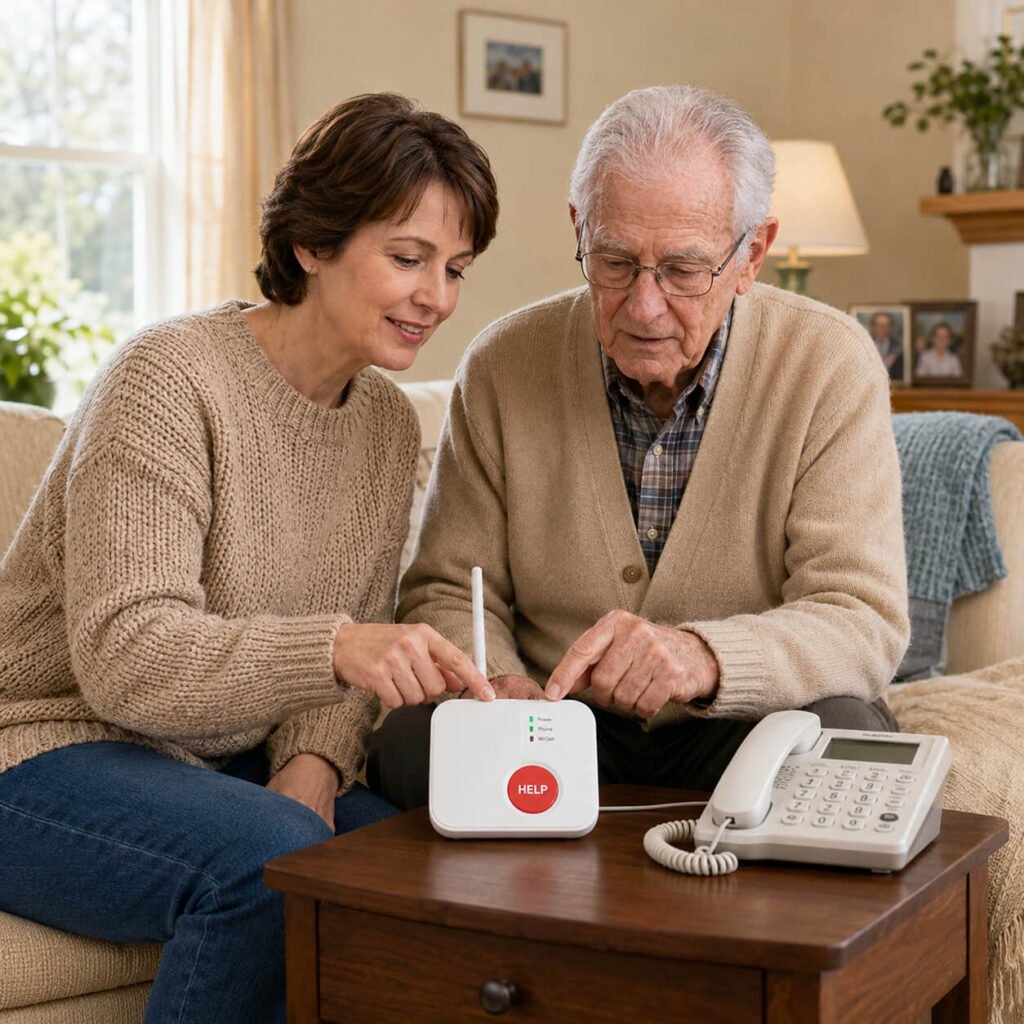
Most emergency alert device failures trace back to the setup, not the hardware. Walking through every step on the day the device arrives is the difference between a working safety net and a $200 device sitting on the nightstand. The rules are short, and none of them are optional.
Program the contact list the day it arrives. Every no-fee device routes to either 911 or to a programmed list of family contacts. The contacts must be loaded the day the unit arrives, before the device is worn for the first time. For monitored systems, complete the medical profile during activation: medications, allergies, primary care doctor, emergency contacts in priority order, and a hidden-key location for first responders.
Test the pendant from every room. Press the test button from the bathroom, the bedroom, the basement, the garage, and the backyard. Confirm the alert reaches the monitoring center or the contact list from each location. Cellular dead zones in basements or steel-sided rooms are common, and the senior needs to know in advance which rooms do not have coverage.
Wear-from-bed rule. The single most important rule with any emergency alert device is that it goes on with the morning routine and comes off only when it is being charged. A senior who removes the pendant to shower or sleep cancels half the value of the device, because the bathroom and the bedside transition are the two highest-fall moments of the day. Every device on this list is water-resistant for shower wear.
Practice a real button press in a calm moment. Schedule a real test call with the monitoring center during business hours, with the senior seated and the family present. The senior presses the button, hears the operator answer, and confirms identity. That single rehearsal — pressing the button, hearing the response, ending the test — doubles the likelihood the senior will press the button during a real emergency instead of trying to crawl to the phone.
Set a recurring charge and test schedule. Most modern alert devices need to be charged every few days; the in-home landline base stations run on permanent power but the pendant battery needs replacement every twelve to eighteen months. Set a recurring weekly reminder to charge the device, a quarterly reminder to test it from every room, and an annual reminder to review the emergency contact list with the family.
Lifestyle Synergy: Making Emergency Alert Devices Work Day to Day
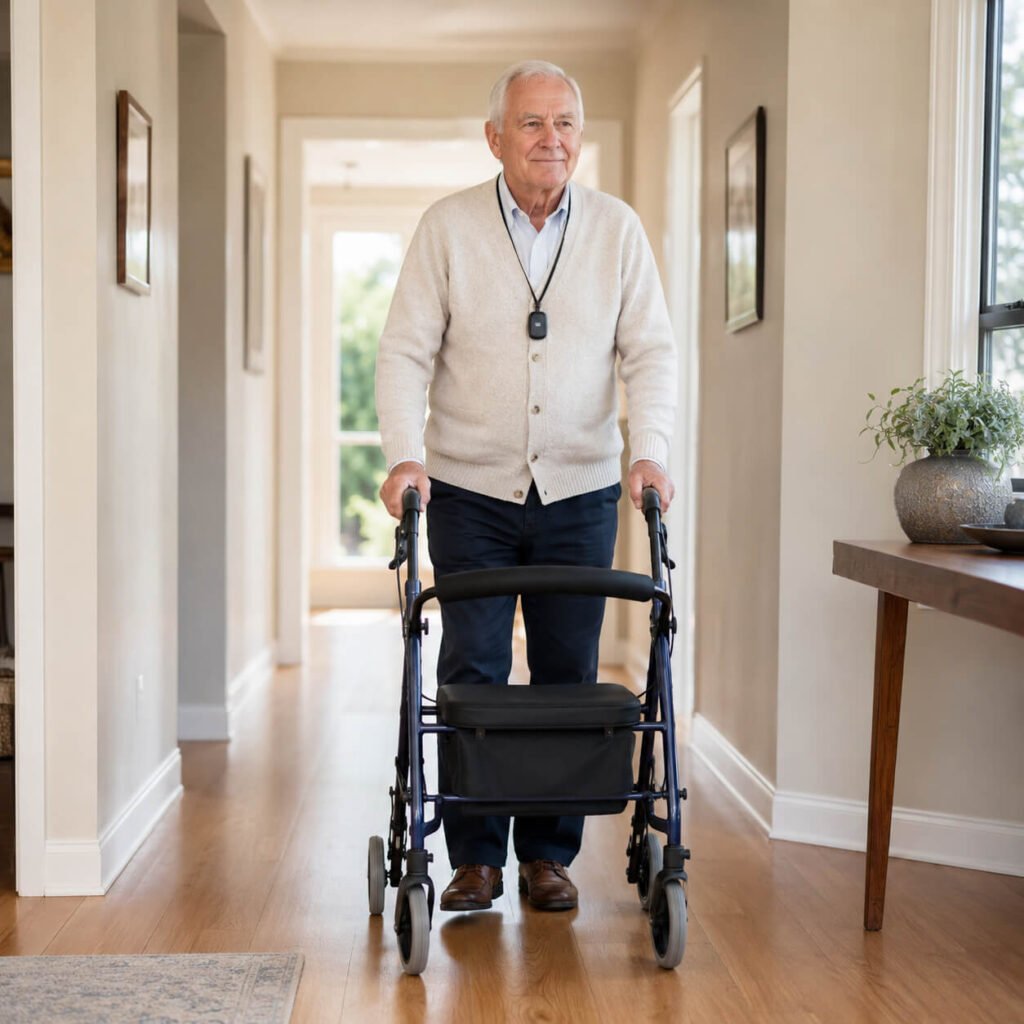
Emergency alert devices for seniors only work if they are worn consistently. The single biggest predictor of whether the device fires when it is needed is whether the senior wore it that day. The simplest rule is that the pendant or watch goes on at the same time as the senior’s morning glasses or hearing aid — first thing after dressing, last thing before bed — and comes off only for charging. The wear-from-bed rule covers the bathroom transition, the kitchen morning routine, and the nighttime trip back down the hallway.
Nighttime is the highest-risk window for seniors with mobility issues. Orthostatic blood pressure drops, half-asleep navigation, low light, and dehydration all compound after midnight. Our guide on why seniors fall at night walks through the specific patterns. A pendant or watch worn through the night, paired with motion-sensor lights along the bed-to-bathroom path, addresses the moment in the dark when the senior is most likely to fall and least likely to be able to call for help.
Charging is the most common reason a device is not on the body when a fall happens. The solution is a charging cradle on the bedside table, not on the kitchen counter or in a different room. The senior places the device on the cradle when they get into bed and takes it off the cradle when they get up. The cradle becomes part of the bedtime routine. For seniors who use a CPAP, a walker parked next to the bed, or any other nighttime equipment, the alert device cradle sits with that equipment so it is never out of view.
Resistance to wearing the device is common, especially in the first month. Many seniors associate medical alerts with helplessness or visible aging. The framing that overcomes resistance fastest is independence: the pendant or watch is the reason the senior gets to keep living alone, take walks without a chaperone, and stay out of an assisted-living facility. Family members who lead with the independence framing rather than the fall-risk framing see far higher consistent-wear rates within a few weeks.
Physician’s Tips for Long-Term Use of Emergency Alert Devices
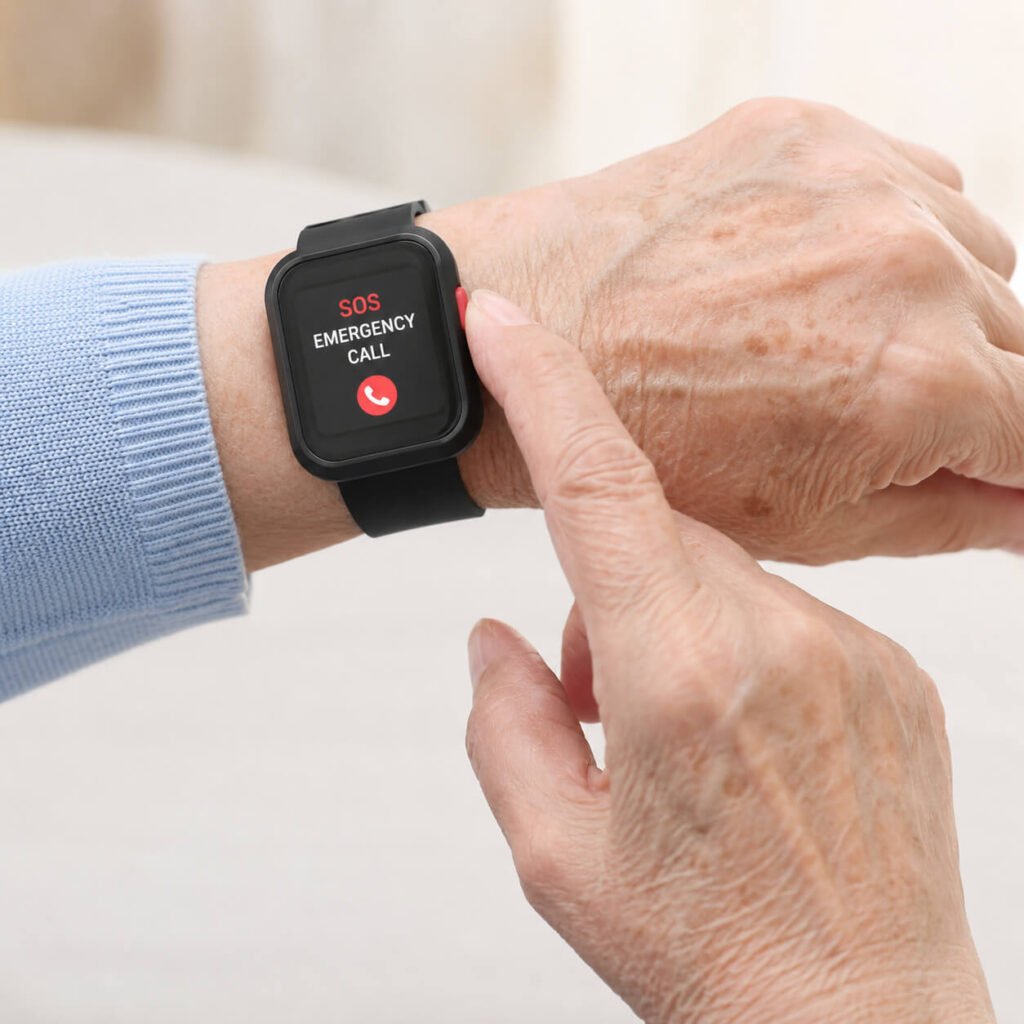
The single best physician’s tip on emergency alert devices for seniors is to rehearse the real button press in a calm moment so that the muscle memory is there in a panicked one. I have watched too many seniors freeze with a working device on their wrist because they had never actually pressed the button before. A scheduled test call once a quarter — with the senior sitting down, the family present, and the operator on the line — closes that gap. The same rehearsal removes the embarrassment of the first call, which is one of the documented reasons seniors delay pressing the button during a real fall.
For long-term use, layer the alert device with the other tools that support a loved one with limited mobility across the home. The pendant is one of six products in a complete home safety kit, not a standalone solution. The fall happens because of low light, wet floors, weak quads, or an unstable transfer; the device is what gets help there afterward. Treating the alert as the response layer and the rest of the home as the prevention layer keeps the family from depending on the device to do work it cannot do.
Finally, plan to replace the device every three to four years. The cellular networks that 4G devices ride on are being decommissioned as 5G rolls out, and a five-year-old cellular pendant can lose service overnight when a carrier sunsets a band. The pendant batteries also degrade meaningfully after about three years, even when the device looks fine. Set a recurring three-year calendar reminder to evaluate the device against the current models, the same way a family member would replace a car battery before it strands the senior.
Emergency Alert Devices Comparison (Features & Coverage)
Frequently Asked Questions
1. What are the best emergency alert devices for seniors with mobility issues?
The best emergency alert devices for seniors with mobility issues are the ones that match the daily routine of the user. An all-in-one cellular pendant or smartwatch with automatic fall detection covers most seniors who still leave the house. A homebound senior with a landline benefits most from a simple in-home base station with no monthly fee. A senior whose adult child is the primary caregiver does best with a device that pairs to a caregiver app for real-time visibility. There is no single best device for every senior — the right pick is the one the senior will actually wear every waking hour.
2. Do medical alert devices work without a landline or Wi-Fi?
Yes. Modern medical alert devices use built-in 4G cellular and operate anywhere there is cellular signal, without a landline or home Wi-Fi. This is the right pick for cell-only households, for seniors who travel, or for seniors who walk or drive outside the home. Landline-based devices still exist and are the simplest setup if the senior already has a working landline, but they only work inside the home. The choice between landline and cellular depends on whether the senior leaves the house alone and whether the home still has a landline phone in service.
3. How accurate is automatic fall detection on senior alert devices?
Fall detection works by using accelerometers to recognize the impact pattern of a real fall and triggering an alert without requiring the senior to press the button. It is not perfect. Industry data suggests modern fall detection catches roughly eighty to ninety percent of real falls and produces a small number of false alarms each month from sudden seated movements or dropping the device. The senior should always press the button manually if they are able, and treat fall detection as a backup for the moments when pressing the button is not possible. For high-risk seniors with a prior fall history, fall detection is non-negotiable; for active lower-risk seniors, the false-alarm rate can become a reason the device gets removed and not worn.
4. Does Medicare cover emergency alert devices for seniors?
Original Medicare Part B generally does not cover emergency alert devices because they are not classified as durable medical equipment. Some Medicare Advantage plans now offer an annual over-the-counter benefit or a wellness benefit that can be applied toward a medical alert system, so check the specific plan’s annual booklet. Medicaid waiver programs in several states do cover monthly medical alert subscriptions for eligible seniors. The Department of Veterans Affairs covers medical alert devices for certain veterans through the Geriatrics and Extended Care program. Contact the senior’s plan administrator before purchasing if reimbursement matters to the budget.
5. Should a senior with mobility issues wear a pendant or a smartwatch?
The honest answer is whichever one the senior will wear every day. A pendant has a larger speakerphone, a more obvious button, and is easier to press in a panicked moment. A smartwatch reads as jewelry, has heart rate and step tracking, and is far more likely to be worn consistently by a senior who resists the look of medical equipment. For high-risk seniors with a history of fall, the pendant’s reliability is usually the right call. For active lower-risk seniors who would never wear a pendant, the watch is the right call because the device on the wrist is infinitely better than the device in a drawer.
Final Thoughts on Emergency Alert Devices for Seniors
Emergency alert devices for seniors are the last layer of the home safety stack and the only one that activates after a fall has already happened. Every other product in the home — grab bars, motion lights, bed rails, non-slip mats, the rest of the starter kit — is built to prevent the fall. The alert device exists for the moments when the prevention layer was not enough, and for the senior with mobility issues those moments are not hypothetical. They are a documented risk pattern with a known response window.
The right device is the one that fits the senior’s actual daily routine and the family’s actual response capacity. A perfect device on the kitchen counter is worse than an imperfect device on the wrist. The picks in this guide cover the full range of senior situations — homebound or mobile, monitored or self-routed, subscription or no-fee, pendant or smartwatch — and any one of them, worn consistently, compresses the post-fall response window from hours to minutes. That compression is what the device is for, and it is the entire reason every home safety conversation eventually arrives at this one purchase.
Medical Disclaimer: This guide is for general educational purposes only and is not intended to serve as personalized medical advice. Always consult a qualified healthcare professional before making changes to medical equipment or care plans.
Last update on 2026-09-23 / Affiliate links / Images from Amazon Product Advertising API
